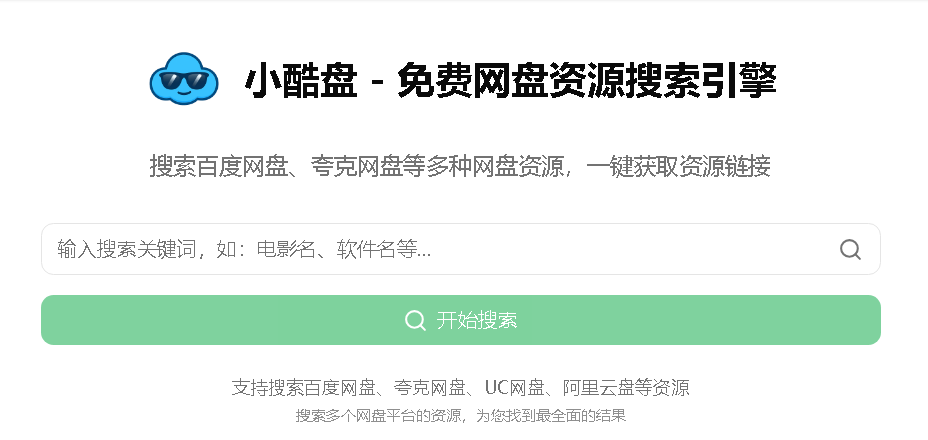
<!DOCTYPE html>
<html>
<head>
</head>
<body>
<p style="margin: 10px 0px !important; padding: 0px; line-height: 2; font-style: normal; font-variant-ligatures: normal; font-variant-caps: normal; font-weight: 400; letter-spacing: normal; orphans: 2; text-align: start; text-indent: 0px; text-transform: none; widows: 2; word-spacing: 0px; -webkit-text-stroke-width: 0px; white-space: normal; text-decoration-thickness: initial; text-decoration-style: initial; text-decoration-color: initial; box-sizing: border-box; word-break: break-all; color: #343a40; font-family: system-ui, -apple-system, 'Segoe UI', Roboto, 'Helvetica Neue', 'Noto Sans', 'Liberation Sans', Arial, sans-serif, 'Apple Color Emoji', 'Segoe UI Emoji', 'Segoe UI Symbol', 'Noto Color Emoji'; font-size: 15px; background-color: #ffffff;">爱搜索正版管理系统安装教程<br style="box-sizing: border-box;" />———————————<br style="box-sizing: border-box;" />搭建要求环境如下<br style="box-sizing: border-box;" />———————————<br style="box-sizing: border-box;" />宝塔下载地址:https://www.bt.cn/new/index.html<br style="box-sizing: border-box;" />———————————<br style="box-sizing: border-box;" /><strong style="font-weight: bolder; color: #1c8bf7;">php</strong>7.2<br style="box-sizing: border-box;" />Nginx 1.26.3<br style="box-sizing: border-box;" /><strong style="font-weight: bolder; color: #1c8bf7;">Mysql</strong> 5.7.44<br style="box-sizing: border-box;" />phpMyAdmin 5.1<br style="box-sizing: border-box;" />———————————<br style="box-sizing: border-box;" />解析 2 个域名(1 个前端<strong style="font-weight: bolder; color: #1c8bf7;">域名</strong> + 1 个后端域名)<br style="box-sizing: border-box;" />———————————<br style="box-sizing: border-box;" />案例 1:ht.isosuo.net(后台)<br style="box-sizing: border-box;" />案例 2:https://www.isosuo.net(前台)<br style="box-sizing: border-box;" />———————————<br style="box-sizing: border-box;" />1. <strong style="font-weight: bolder; color: #1c8bf7;">宝塔</strong>新建 1 网站 PHP. 导入前台资源, 修改根目录文件.env 数据库信息<br style="box-sizing: border-box;" />2. 宝塔新建 2 <strong style="font-weight: bolder; color: #1c8bf7;">网站</strong> PHP. 导入<strong style="font-weight: bolder; color: #1c8bf7;">后台</strong><strong style="font-weight: bolder; color: #1c8bf7;">资源</strong>, 修改根目录<strong style="font-weight: bolder; color: #1c8bf7;">文件</strong><strong style="font-weight: bolder; color: #1c8bf7;">.env</strong> 数据库信息<br style="box-sizing: border-box;" />3. 后台需要设置伪静态规则为:thinkphp(前台不需要设置)<br style="box-sizing: border-box;" />4. 导入爱<strong style="font-weight: bolder; color: #1c8bf7;">搜索</strong>正版管理系统<strong style="font-weight: bolder; color: #1c8bf7;">数据</strong>库到 MYSQL<br style="box-sizing: border-box;" />———————————<br style="box-sizing: border-box;" />后台路径:域名 /asadmin<br style="box-sizing: border-box;" />后台账户:admin<br style="box-sizing: border-box;" />后台密码:admin888</p>
<p style="margin: 0px 0px 20px; padding: 0px; line-height: 2; color: #666666; font-family: -apple-system, BlinkMacSystemFont, 'Segoe UI', Roboto, 'Helvetica Neue', Arial, 'Noto Sans', sans-serif, 'Apple Color Emoji', 'Segoe UI Emoji', 'Segoe UI Symbol', 'Noto Color Emoji'; font-size: 16px; font-style: normal; font-variant-ligatures: normal; font-variant-caps: normal; font-weight: 400; letter-spacing: normal; orphans: 2; text-align: start; text-indent: 0px; text-transform: none; widows: 2; word-spacing: 0px; -webkit-text-stroke-width: 0px; white-space: normal; background-color: #ffffff; text-decoration-thickness: initial; text-decoration-style: initial; text-decoration-color: initial;"><span style="color: #343a40; font-family: system-ui, -apple-system, 'Segoe UI', Roboto, 'Helvetica Neue', 'Noto Sans', 'Liberation Sans', Arial, sans-serif, 'Apple Color Emoji', 'Segoe UI Emoji', 'Segoe UI Symbol', 'Noto Color Emoji'; font-size: 15px; font-style: normal; font-variant-ligatures: normal; font-variant-caps: normal; font-weight: 400; letter-spacing: normal; orphans: 2; text-align: start; text-indent: 0px; text-transform: none; widows: 2; word-spacing: 0px; -webkit-text-stroke-width: 0px; white-space: normal; background-color: #ffffff; text-decoration-thickness: initial; text-decoration-style: initial; text-decoration-color: initial; float: none; display: inline !important;">———————————</span><br style="box-sizing: border-box; color: #343a40; font-family: system-ui, -apple-system, 'Segoe UI', Roboto, 'Helvetica Neue', 'Noto Sans', 'Liberation Sans', Arial, sans-serif, 'Apple Color Emoji', 'Segoe UI Emoji', 'Segoe UI Symbol', 'Noto Color Emoji'; font-size: 15px; font-style: normal; font-variant-ligatures: normal; font-variant-caps: normal; font-weight: 400; letter-spacing: normal; orphans: 2; text-align: start; text-indent: 0px; text-transform: none; widows: 2; word-spacing: 0px; -webkit-text-stroke-width: 0px; white-space: normal; background-color: #ffffff; text-decoration-thickness: initial; text-decoration-style: initial; text-decoration-color: initial;" /><span style="color: #343a40; font-family: system-ui, -apple-system, 'Segoe UI', Roboto, 'Helvetica Neue', 'Noto Sans', 'Liberation Sans', Arial, sans-serif, 'Apple Color Emoji', 'Segoe UI Emoji', 'Segoe UI Symbol', 'Noto Color Emoji'; font-size: 15px; font-style: normal; font-variant-ligatures: normal; font-variant-caps: normal; font-weight: 400; letter-spacing: normal; orphans: 2; text-align: start; text-indent: 0px; text-transform: none; widows: 2; word-spacing: 0px; -webkit-text-stroke-width: 0px; white-space: normal; background-color: #ffffff; text-decoration-thickness: initial; text-decoration-style: initial; text-decoration-color: initial; float: none; display: inline !important;">声明:爱搜索<strong style="font-weight: bolder; color: #1c8bf7;">管理</strong><strong style="font-weight: bolder; color: #1c8bf7;"><strong style="font-weight: bolder; color: #1c8bf7;">系统</strong></strong>是网盘索引系统, 所有内容均来自互联网所提供的公开引用资源,未提供资源上传、存储服务,请勿使用非法,违者自负,爱搜索管理系统仅供参考学习。<br /><img src="https://www.qichenym.cn/wp-content/uploads/2025/06/1749125090-ef6faa1f1c2a4f7.png" width="915" height="720" /><br /></span></p>
</body>
</html>
📦 配套资源下载
加载中...

全部评论(549)